
NakodaX

Situations · Data protection

What happens to employee data when you switch payroll providers

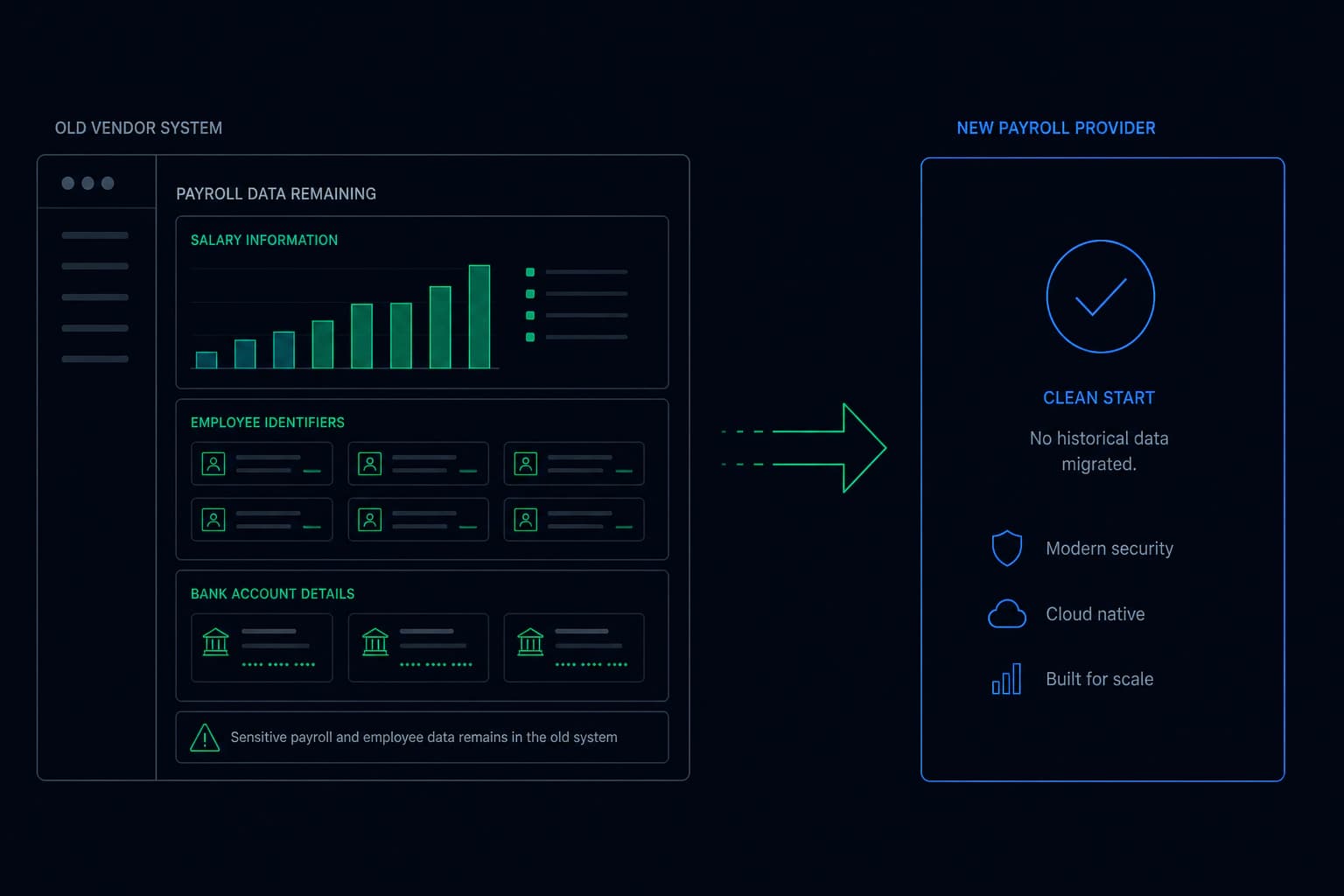
Employee payroll files remaining with a provider after switching away.

When a company switches payroll providers, years of employee identities, salaries and bank details remain with the previous provider under a deletion clause that is rarely verified. The enforceable approach is transferring HR data as permission-checked files, so the switch ends with revocation and a dated record for the data protection officer.

The most sensitive export your company runs on a schedule

Most data leaving a company is commercial. Payroll is not. It is your employees’ full names, home addresses, national identifiers, salaries, bonus history, bank account details, and often pension, benefit and health scheme information.

It goes out monthly, reliably, for years, and nobody thinks about it because it is routine.

Switching is normal. What stays behind is not.

Companies change payroll providers regularly, for price, for service, for a system that handles a new country.

The migration gets planned carefully: parallel runs, reconciliation, a cutover date. What almost never appears in that plan is the several years of files already sitting at the outgoing provider.

Those stay. With a company you no longer pay, under a deletion clause nobody will read again, on a retention schedule set by their compliance team rather than yours.

Your employees did not agree to that

This is where it stops being an IT question. Your staff gave that information to you, as a condition of being employed. They accepted that a payroll provider would process it, because that is how payroll works.

What they did not agree to was that a company they have never heard of, which no longer performs any service for their employer, would hold their salary and bank details indefinitely.

In most jurisdictions you remain the controller of that data. The exposure sits with you, not with the vendor you left.

Migrate, revoke, and hold the record

When HR files are transferred as permission-checked data, the switch gains a final step that is currently missing.

You complete the migration, you confirm the new provider is running, and then you withdraw access. The outgoing provider’s copies stop opening: this year’s, and every year before it.

Your data protection officer gets something they have never had for a vendor transition, which is a dated record of when access ended and what happened afterwards.

The same applies to everything HR sends out

Payroll is the clearest case but rarely the only one. Benefits brokers, pension administrators, background screening firms, occupational health providers and relocation agents all receive employee data on a schedule.

Each is a relationship that will end one day, and each currently ends with an email rather than with a switch.

What changes

The switch has a last day, and so does the data. Migrate, revoke, and the old provider’s copies stop opening, with a record your data protection officer can actually show.

access ended

Related questions

What happens to employee data when you switch payroll providers?
Years of files containing identities, salaries and bank details remain with the outgoing provider under a deletion clause that is rarely verified. Since the employer usually remains the data controller, the exposure stays with the employer rather than the vendor.
Our old payroll provider still has our data. What can we do?
For data already transferred conventionally, the practical options are limited to requesting deletion and recording the response. Going forward, transferring HR data under ongoing permission means the next vendor switch ends with revocation you control and can evidence.
What should an HR vendor offboarding checklist include?
Confirming the new provider is live, reconciling the final run, revoking the outgoing provider's access to historical files, and retaining a dated record of that revocation. The third item is the one most checklists cannot currently action.

This one, or one very like it

Data protection. Start where the problem actually is.