
By Arun Verma
Investor and Advisor, NakodaX ·

NakodaX blog/Perspective·2 min read
A good team loses control of files in five normal situations: a partner sees more data than needed, a proposal outlives a lost deal, a developer keeps the code, an employee keeps downloads, and a vendor keeps your data. NakodaX lets you change access after sharing in each case.
By Arun Verma
Investor and Advisor, NakodaX ·
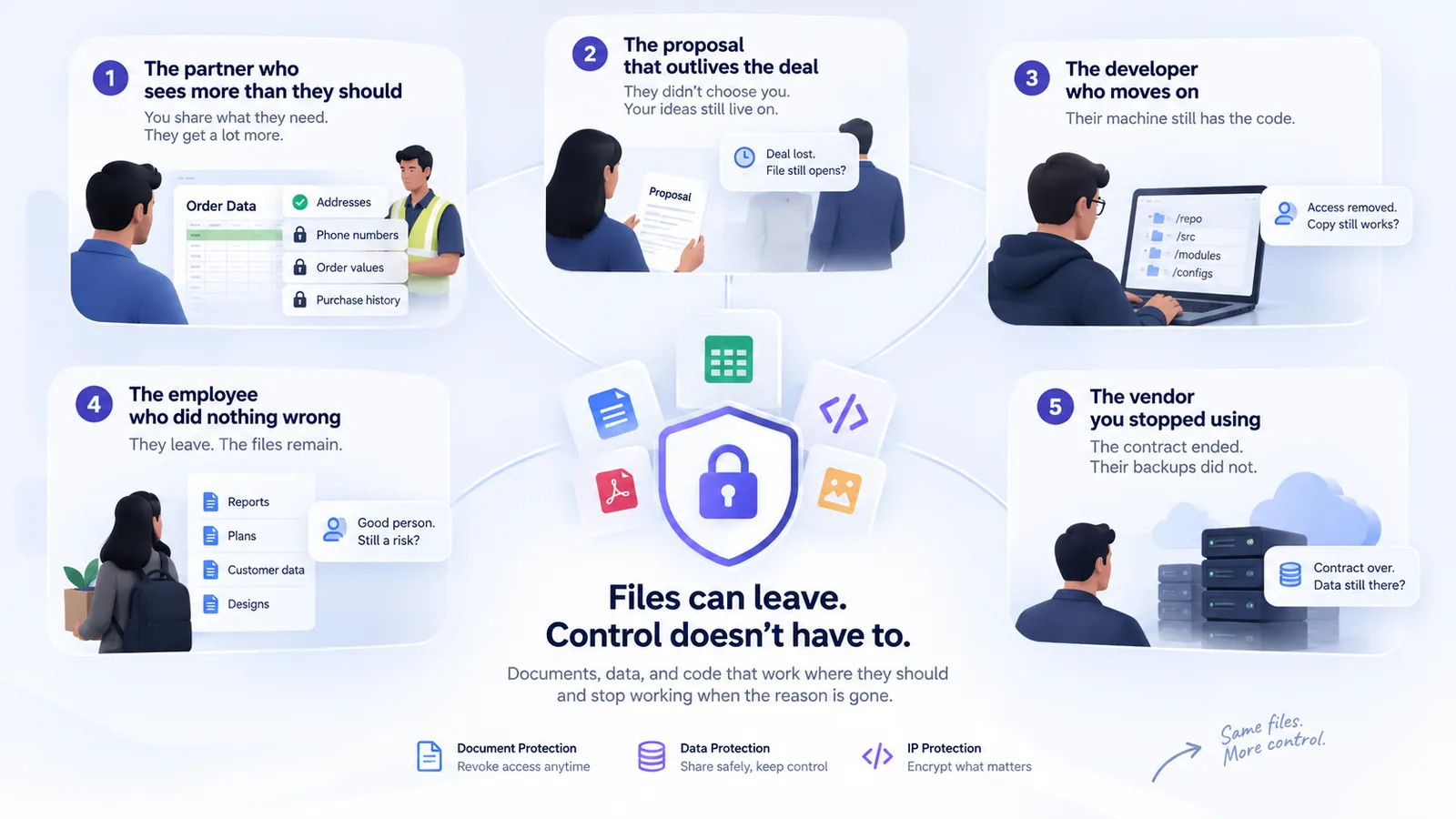
In each case, the file left for a good reason, and the reason ended before the file did.
When people picture a leak, they picture a villain. Most leaks are not like that. They are side effects of doing business with other people. Here are five that happen in almost every company.
A logistics partner needs delivery addresses. You send the order table, which also holds phone numbers, order values and purchase history.
What NakodaX changes: Data Protection gives the partner their own file with only the columns they need. Other columns are left out, or sealed so the partner cannot read the values.
Your best proposal goes to a prospect. They pick someone else. Your pricing and approach stay in their inbox.
What NakodaX changes: Document Protection lets you revoke the proposal after the decision. The protected file stops opening.
An engineer finishes their time with you. Removing their repository access does not remove the copy already on their laptop.
What NakodaX changes: Source Protection encrypts the files that matter in the release. They run only with a license. End the license, and the protected files stop working at the next key request.
A colleague leaves on good terms. Their laptop and personal cloud hold three years of downloads. They will probably never open them. Probably.
What NakodaX changes: revoke at offboarding, and each protected file you shared with them stops opening, wherever the copy is.
An analytics vendor held your data for a year. The contract ended. Their backups did not.
What NakodaX changes: the vendor received protected files under their own license. End it, and keys stop being released, so new files cannot be opened. Files they had already opened stay with them.
Look at the five again. At least one has already happened in your business.
Start a free trial, or tell us what you share and with whom, and we will show you how NakodaX handles it.

New to NakodaX? Watch the overview
A full walkthrough of how NakodaX helps a business keep control of documents, business data and source code after they are shared, moved or deployed.
Watch the video (8:49)
Perspective · 5 min read
Traditional security protects systems. But who protects your information after you share it?
October 23, 2026
Perspective · 3 min read
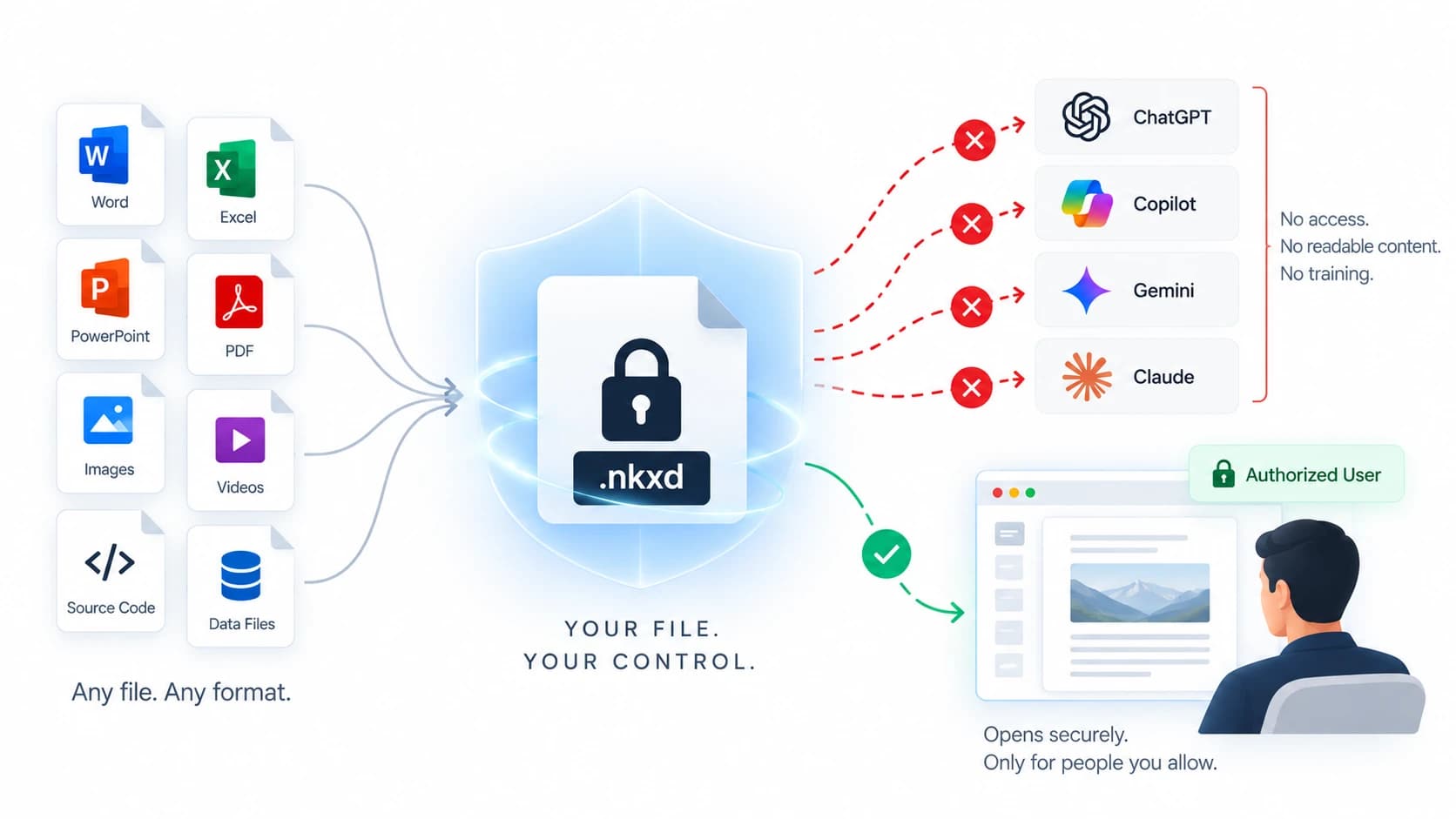
Protected documents, data files and code releases give ChatGPT or Copilot nothing readable. Here is how each works, and what a screenshot can still do.
September 4, 2026
Perspective · 2 min read
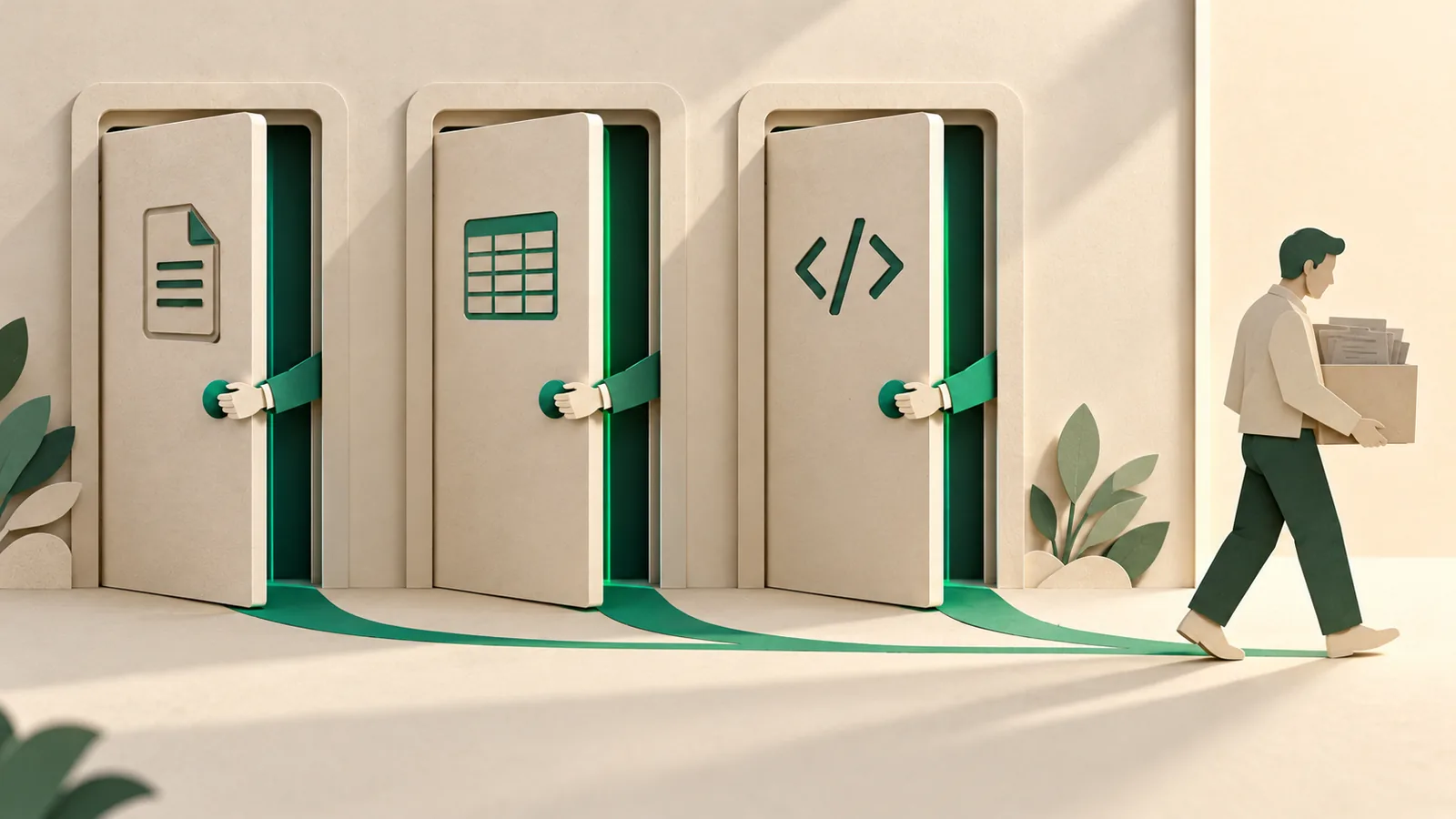
When a relationship ends, the files you shared do not end with it. Here is a checklist for documents, data and code.
October 11, 2026