
By Pallav Boonlia
Founder & CTO, NakodaX ·

NakodaX blog/Document Protection·3 min read
Yes, if the files are ordinary. Turning off a former employee's account does not remove files already on their laptop, and those can go into any AI tool. Files shared as protected NakodaX files stop opening when you revoke access, so they give nothing readable to the person or to AI.
By Pallav Boonlia
Founder & CTO, NakodaX ·
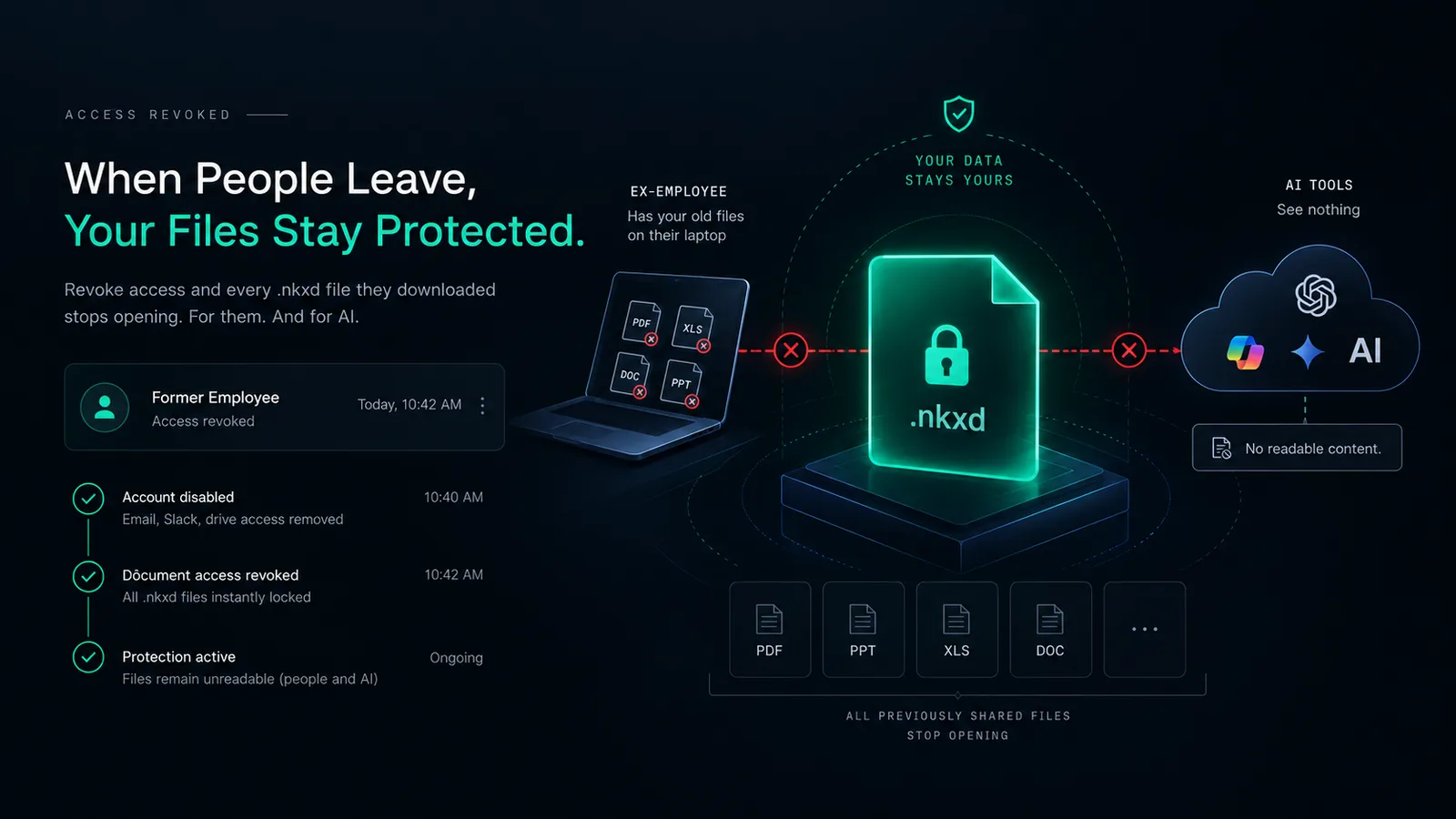
Revoke access, and the protected files a former employee downloaded stop opening, for them and for AI.
People leave. That is normal. What they take with them is the part nobody plans for. A sales lead keeps the pricing sheet because it sat on their laptop. A consultant keeps the client deck in their downloads folder.
Once, that was a paper problem. A file on a hard drive is only a risk if someone reads it. Now many people have an AI assistant that reads for them.
In their first week at a new job, they can upload your customer list and ask AI to rank accounts. They can upload your proposal template and ask for a version for their new company. They can upload three quarters of board decks and ask what your weak points are.
None of this takes skill or more than a minute. None of it leaves a trace on your side.
Most companies disable the email, remove the person from chat and turn off the drive. That closes the building. Every file already downloaded, attached or synced to a personal device is still there, and still readable by any AI tool.
When a document is shared as a protected NakodaX file, the copy on a laptop is not the document. It is a locked container. The content appears only while NakodaX confirms the person still has access.
On their last day, you revoke. Every protected file you shared with them stops opening, wherever the copy is: the laptop, an email to themselves or a USB drive. And because the file was never readable outside NakodaX, it was never readable by AI either.
Yes. The same applies to an agency whose contract ended or a freelancer who finished one project. Tie access to the relationship, and revoke when it ends. NakodaX records what each person opened and when.
Not whether you have a policy for leavers. Ask this: if the last person who left ran every file they downloaded through AI this afternoon, what would it find? If that answer worries you, the fix is a file that stops working when you say so.
A disabled login closes the front door. Protected files close the copies that already left.
Related product
Protect documents before sharing. Control who can open them, what they can see, when access ends and how protected documents are used.
See how it worksRelated guide
How NakodaX keeps readable documents, customer data and source code out of AI tools, and what it cannot stop.
See how it worksStart a free trial, or tell us what you share and with whom, and we will show you how NakodaX handles it.
Real situations, and the video where there is one, on the same problem.
Video
Share PDFs, Word, Excel, PowerPoint, images and video with an expiry date, view limits, watermarks and the power to revoke access.
Watch (1:54)Situation
People leave, and their accounts are closed in an afternoon. The files you sent to their email and personal devices stay open.
Read moreSituation
You gave them the manual: processes, recipes, supplier terms, training. They dropped your brand and kept your playbook.
Read more
New to NakodaX? Watch the overview
A full walkthrough of how NakodaX helps a business keep control of documents, business data and source code after they are shared, moved or deployed.
Watch the video (8:49)
Document Protection · 2 min read
Offboarding turns off accounts but not the files already downloaded. Add these steps to protect selected files and end access when someone leaves.
September 26, 2026

Document Protection · 2 min read
Directors read board packs on personal laptops and phones, and advisers join and leave. Set access by person and by matter, and end it when it should end.
September 23, 2026

Document Protection · 2 min read
Clients need final work to review before they pay, and you need the payment to clear. Here is how to deliver files so both can happen.
September 6, 2026