
By NakodaX Marketing team
NakodaX ·

NakodaX blog/Source Protection·4 min read
Yes. Source Protection encrypts the files that hold your business logic. The customer runs your software as usual, and the protected code opens only in memory while a valid license is active. Without a license, a copy of the repository is only encrypted data. You can try this yourself with a free sample app.
By NakodaX Marketing team
NakodaX ·

Ship the software. Keep the secret part encrypted until a license opens it.
Some companies sell software that customers run on their own servers. A bank, a hospital group or a large retailer installs it inside its own network.
That is normal. But it often means the customer holds a full, readable copy of your code. The contract may end and the software keeps running. Someone can also copy the code, hand it to a contractor or paste it into an AI tool.
This post explains a simpler way. You ship the software with the important files encrypted. The customer still runs it. Only a valid license can open those files, and only while the program is running.
When a customer installs your software, the code sits on their servers. Many of their staff, vendors and contractors can reach those servers. You cannot see who opens the files.
Most of the code is ordinary: login screens, forms, logging and settings. A small part is yours alone. It might be your pricing rules, a scoring method or the way you match records. That small part is the reason customers pay, so it is the part worth keeping private.
This situation shows how an install ends up outside your control, and why a readable copy is hard to take back.
Source Protection looks through your repository and suggests the files that hold the most business logic. Your team reviews the list and approves it. Nothing is encrypted before that.
NakodaX then encrypts the chosen files with AES 256 GCM and publishes a protected copy. Your original repository does not change. The protected copy has the same folders and the same file names. Only the chosen files are replaced by encrypted versions.
There is no license check inside your code that someone could delete. The key is what opens the file. This is the idea behind a protected release.
We made a small app called LedgerLens and shipped it with its source encrypted. You can clone it from nkx-sample-app on GitHub. Run it without a key and you see a locked screen. Run it with the free trial key that comes with the repository and it unlocks and runs on your own computer in about a minute.
The README lists the exact commands. You need Python 3.10 or newer and the nkx command line tool. The same app also runs in Node.js, and both versions give the same result.
The trial key opens this one app and nothing else, so you can try it without any setup on your side.
Want to see what a fully protected codebase looks like from the outside? Read what an encrypted repository looks like on GitHub.
A license belongs to one customer, team or developer. It can have an end date and a limit on how many copies run at the same time. You can suspend it and bring it back, end it for good, or replace its key. See customer deployments and customer control.
This suits pilots and installs on customer servers, where you want the customer to try the real software while your logic stays private. If a customer must run it with no internet, NakodaX can be installed on their own servers, including offline and air gapped networks.
Source Protection keeps the protected code out of every copy at rest, such as a copied repository, a backup or an old install. The code opens only in memory, while your licensed software is running.
Ending a license takes effect the next time the software asks for a key.
It works today for Python, JavaScript, TypeScript and SQL, and more languages are planned.
Your customer can run your software without holding a readable copy of the part that matters. You can try the idea yourself, for free, in about a minute.
Related product
Let vendors and customers build or run software without receiving selected proprietary source code in readable form.
See how it worksStart a free trial, or tell us what you share and with whom, and we will show you how NakodaX handles it.
Real situations, and the video where there is one, on the same problem.
Video
When software has to run in a customer or vendor environment, see how NakodaX keeps selected proprietary components out of the readable release.
Watch (3:29)Situation
Big customers want your software inside their own environment. That means handing them a full, working copy of your code, and you have no way to switch it off when the contract ends.
Read moreSituation
A prime contractor brings in subcontractors, and they bring in their own. By the third level, your code is on machines you have never heard of.
Read more
New to NakodaX? Watch the overview
A full walkthrough of how NakodaX helps a business keep control of documents, business data and source code after they are shared, moved or deployed.
Watch the video (8:49)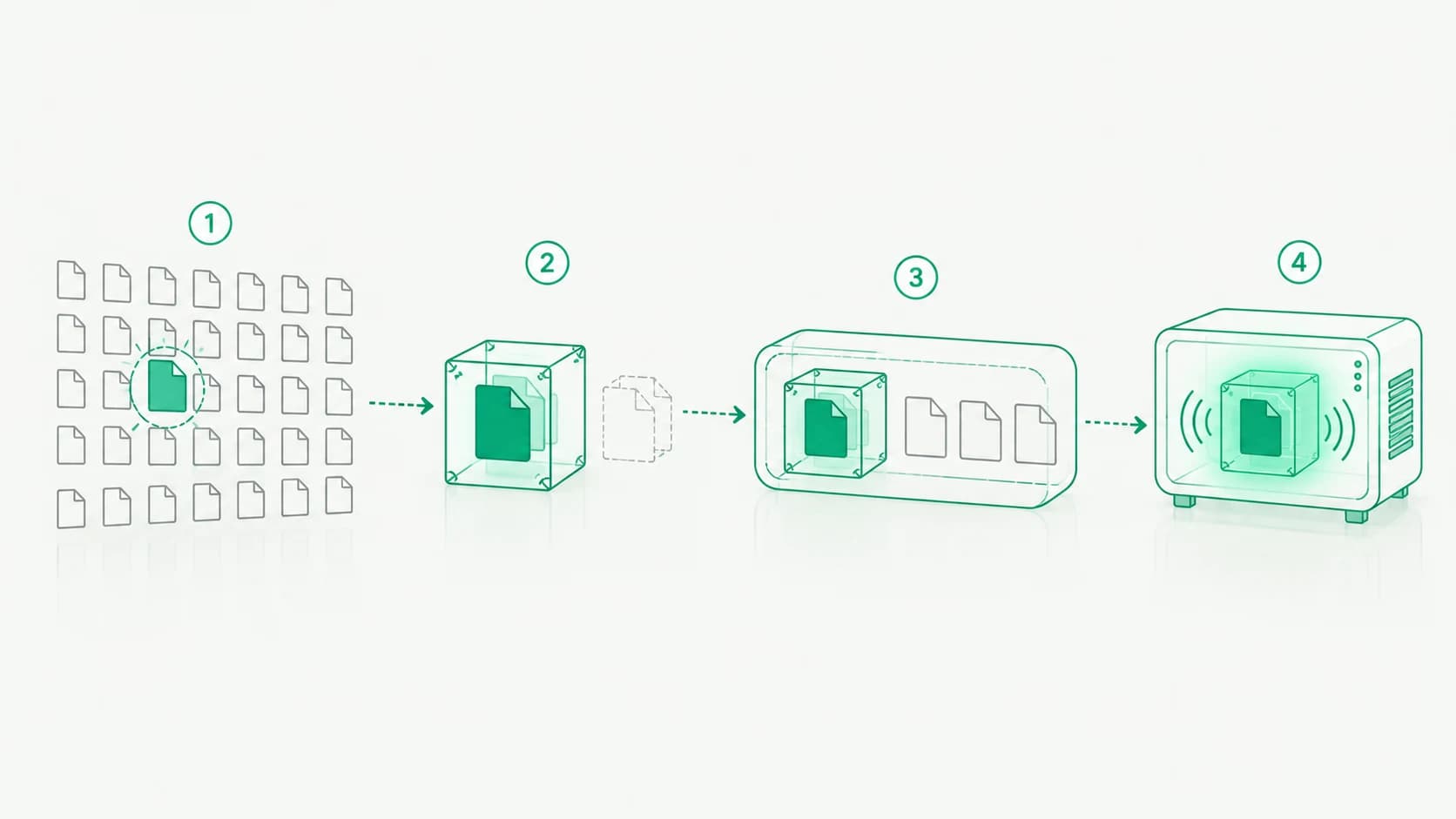
Source Protection · 7 min read
How NakodaX finds the code worth protecting, gives developers stand ins to build against, ships a protected release and decrypts the code only in memory.
October 13, 2026

Source Protection · 3 min read
Turning off a contractor's access does not remove the clone on their laptop. Here is how to protect the key files so they stop working when the contract ends.
August 20, 2026

Source Protection · 2 min read
Most of a codebase is easy to rebuild. A few files are not. Here is how to find them, keep the list short and protect them with NakodaX Source Protection.
September 16, 2026