
By NakodaX Marketing team
NakodaX · · Updated

NakodaX blog/Document Protection·2 min read
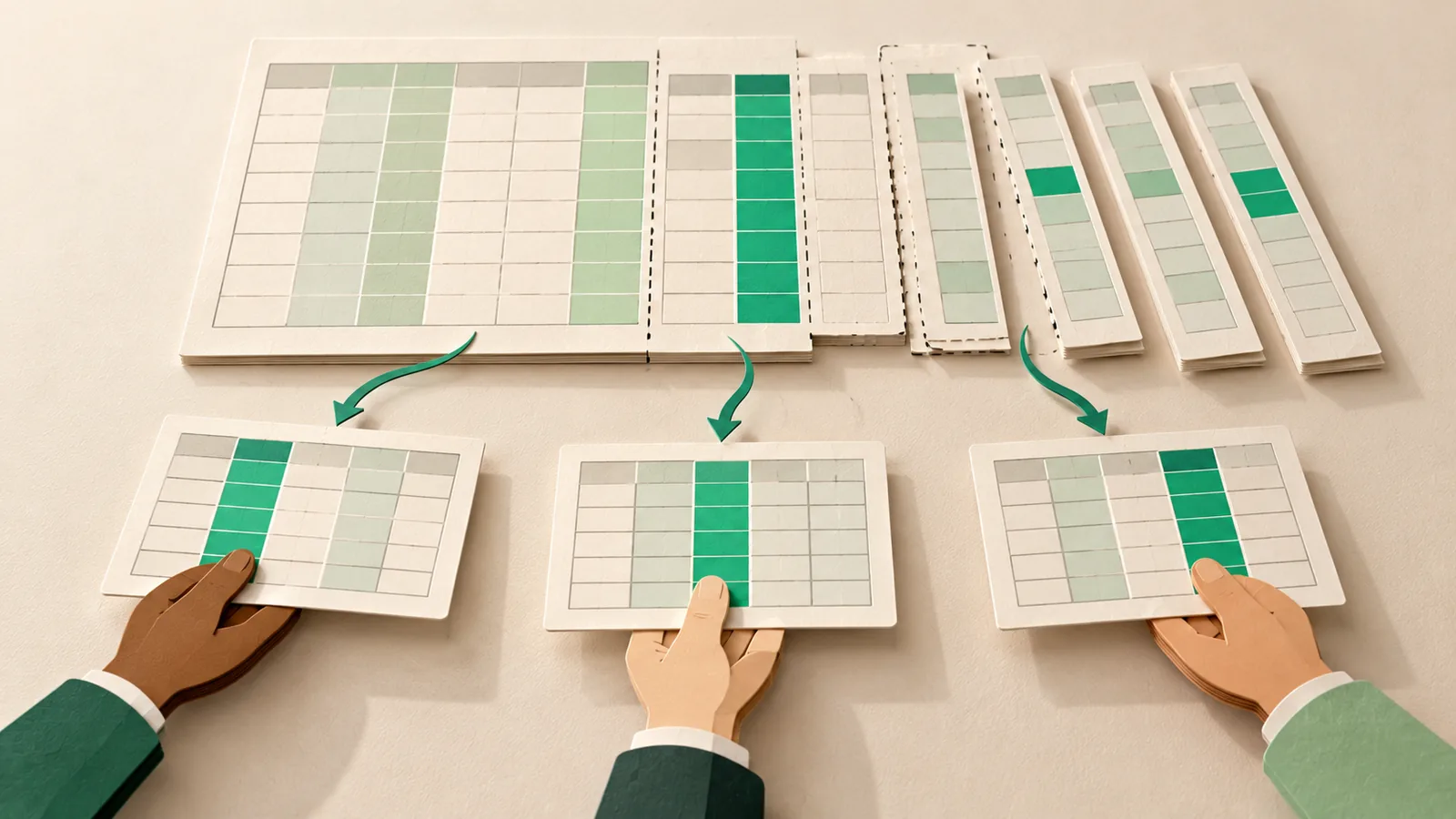
Hiding a column or filtering rows in a spreadsheet leaves the data in the file, and the recipient can show it again. NakodaX Selective Share sends a real spreadsheet with only the sheets, columns and rows you pick. The rest is removed from the file that is sent, so it never reaches the recipient.
By NakodaX Marketing team
NakodaX · · Updated
Hiding is a setting. Removing is a different file.
A manufacturer keeps sales, stock and targets in one workbook. Each distributor needs their own numbers. The same workbook also holds the other regions, the price tiers and your margin.
Cutting it into one file per person takes time and is repeated every month, so the full workbook goes to everyone, or someone deletes columns by hand.
A hidden column or a filter is only a setting in the file. The recipient can show the column again or clear the filter. A copy edited by hand can miss a second sheet. Each recipient then holds data about the others, and may pass the file on.
With Selective Share you pick which sheets to include, which columns to leave out and a row filter such as a city or a state. Each recipient gets a real spreadsheet of the same type with only that. The columns you left out are not in the file.
NakodaX checks the result before it goes out and refuses the share if the check fails. One send can reach up to 10 people, and you can save a selection and reuse it next month.
For a feed that goes to many partners every day or week, use Data Protection. It cuts each recipient's file by columns and rows at the source and releases a key per run. The story of the distributor sheet for every region shows the spreadsheet case.
A person can still copy the figures they were allowed to see, and a screenshot cannot be stopped. A watermark with the reader's name and the time deters this on documents.
Send each person a real spreadsheet that holds only what they should see.
Related product
Protect documents before sharing. Control who can open them, what they can see, when access ends and how protected documents are used.
See how it worksStart a free trial, or tell us what you share and with whom, and we will show you how NakodaX handles it.
Real situations, and the video where there is one, on the same problem.
Video
Most people only need part of a document. See how Selective Share sends just the pages, slides, rows or columns a recipient needs and nothing else.
Watch (3:15)Situation
The CEO has one 20 slide deck. Ten slides are for employees and the public. Ten are for the board. The whole deck goes out, with a note asking people to ignore the second half.
Read moreSituation
A contract, a report or a case file has to go to someone outside. Most of it can. A price, a name and a few paragraphs cannot. A black box drawn over them often leaves the text in the file.
Read more
New to NakodaX? Watch the overview
A full walkthrough of how NakodaX helps a business keep control of documents, business data and source code after they are shared, moved or deployed.
Watch the video (8:49)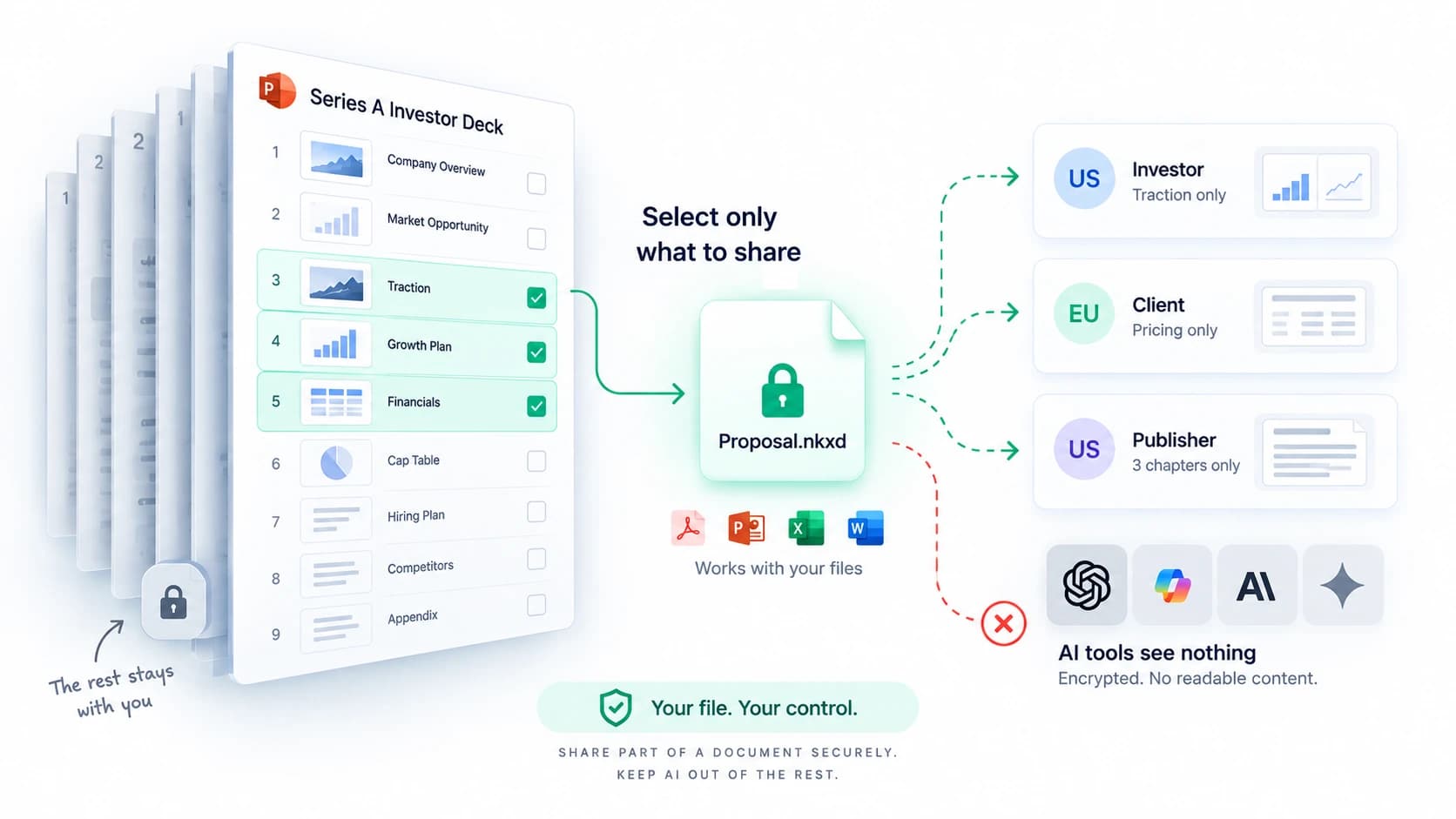
Document Protection · 2 min read
Selective Share sends only the slides, pages, sheets or sections someone should see. The rest of the file never reaches them. Here is how it works.
September 8, 2026

Document Protection · 2 min read
A black box over text often leaves the text in the file. Here is how redaction deletes it for real, and which file types it covers.
September 12, 2026
Document Protection · 3 min read
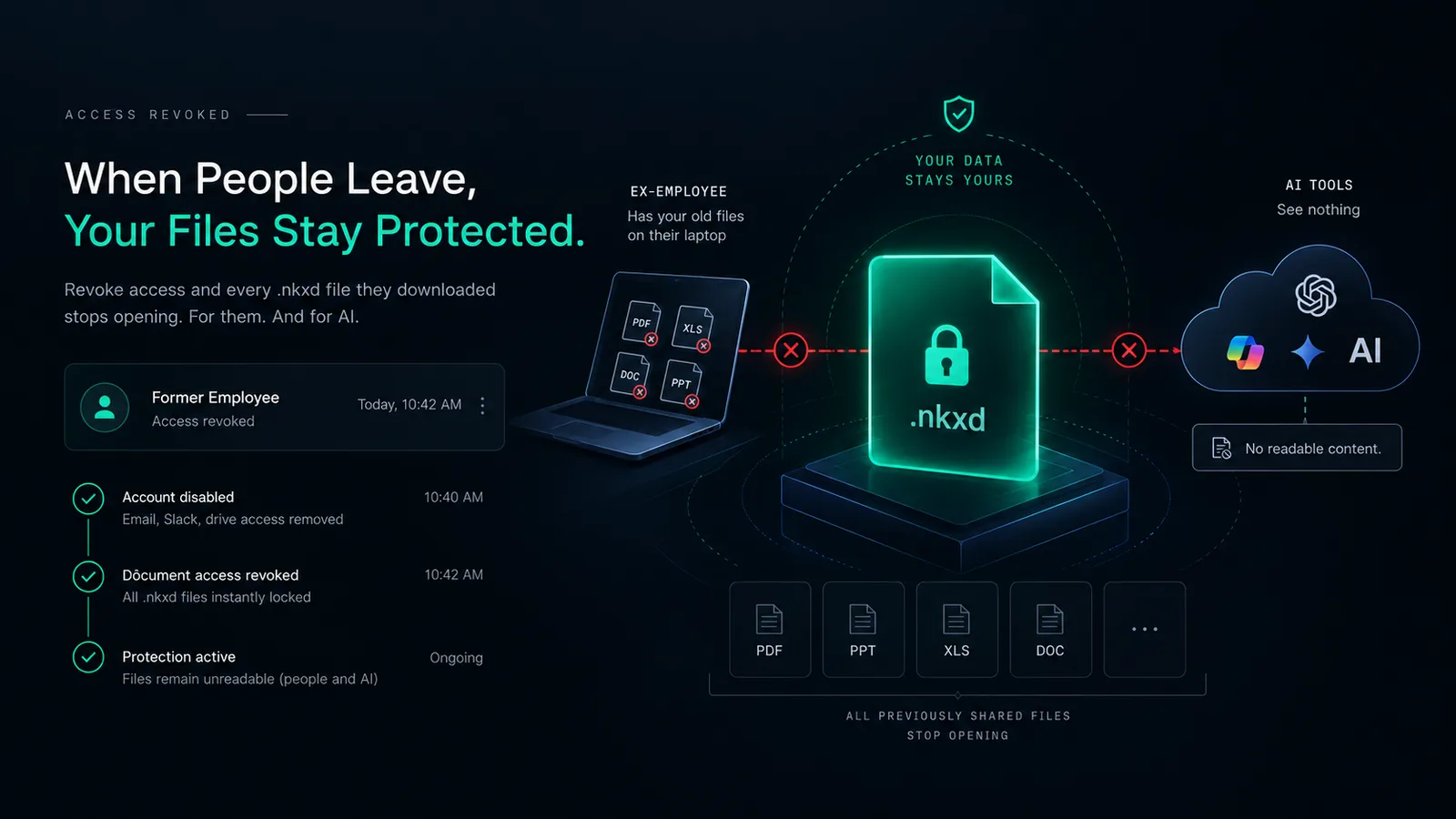
Turning off a login does not touch files already on a laptop. Files shared as protected NakodaX files stop opening once you revoke access, for the person and for AI.
September 11, 2026