
NakodaX videos/Document Protection·3:15
Selective Share: send only the pages, slides or rows someone needs
Most people only need part of a document. See how Selective Share sends just the pages, slides, rows or columns a recipient needs and nothing else.
Questions this video answers
How do I share only part of a document?
Can I change access after I share?
How do I send the protected view?
Transcript
Welcome to this rapid explainer. So, think about this for a second. Every single day, businesses are firing off critical documents, source code, you name it.
And in that exact moment they hit send, they just completely lose control of that data. It's gone. Well, today we're looking at a platform that flips the script on this entirely.
It's called NakodaX. Right. Let's dive into this.
NakodaX is essentially designed to solve a massive security headache. And the best part is it doesn't force you to change how your team already works. The core philosophy here is simple but absolutely crucial.
Keep control wherever your work goes. Instead of just kind of crossing your fingers once a file leaves your system, NakodaX acts as this relentless ongoing layer of protection. Which brings us to a pretty fundamental question, doesn't it?
Why share the whole document? I mean, seriously, most of the time your partners or clients only need a tiny specific part to actually do their job, right? Handing over an entire 50 slide presentation or some massive clunky spreadsheet that just introduces so much unnecessary risk.
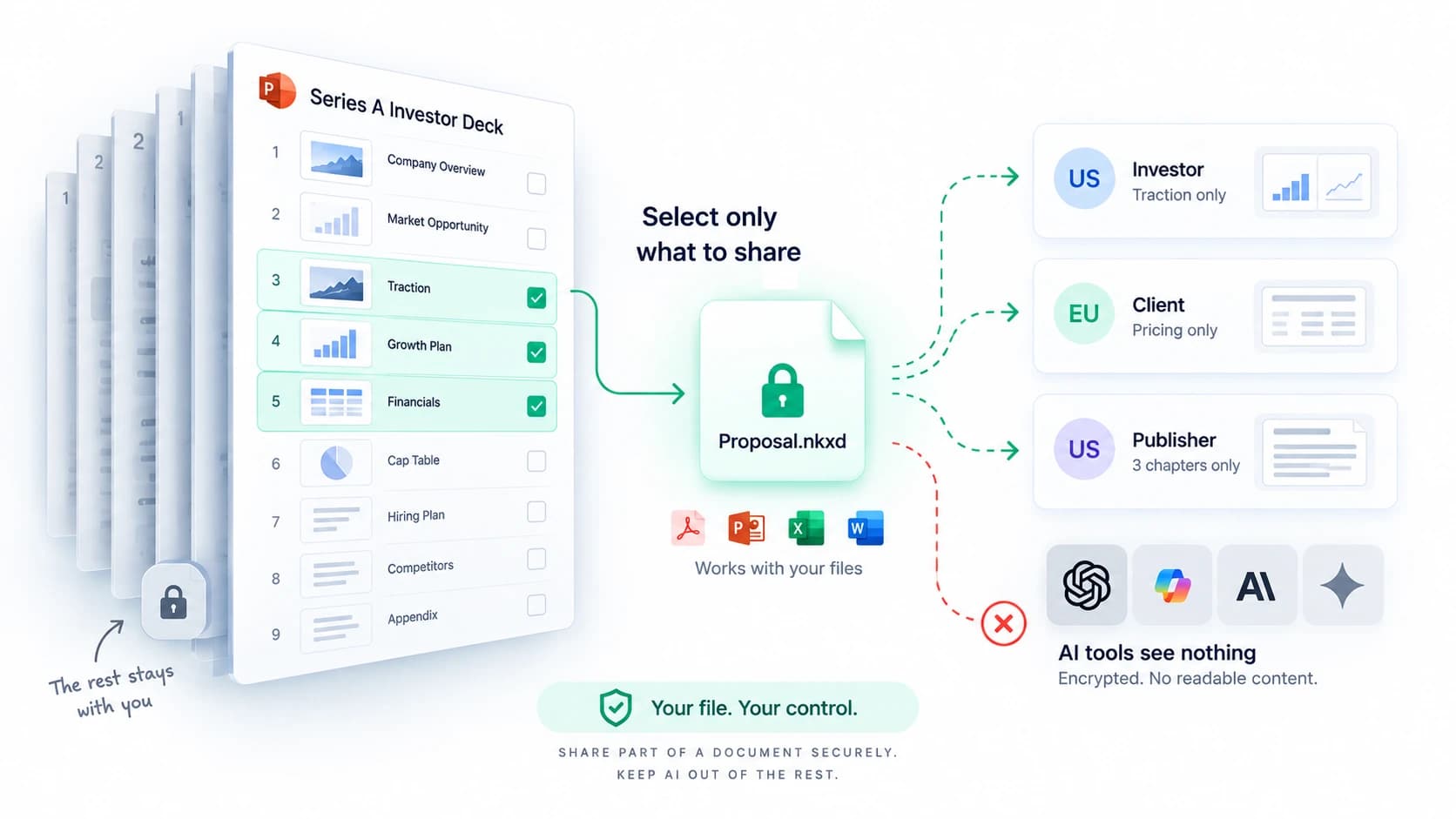
And here is how NakodaX completely eliminates that risk. They've built this really slick five-step selective share process. Step one, you just choose your recipient and your document.
Step two, you go in and select only the specific pages or slides or spreadsheet rows they actually need. So, right out of the gate, you are limiting your exposure before the data even leaves the building. Okay, moving on to step three.
This takes us into the selection hub, which you'll easily spot by that NakodaX Trident emblem. Now, this is where you actually set the rules. You are the one dictating exactly who gets to open it.
You can set strict expiry dates and even limit the number of times it can be viewed. It's basically like wrapping your content in this customized invisible protective shield. Next up is step four.
You just share the file exactly how your team normally works. But here's the real game changer. The recipient only gets a protected view of the content you specifically selected.
All those unselected rows, the hidden slides, the super confidential data, that stuff is entirely excluded. Literally, it never even reaches the recipient's device. And finally, step five, updating access when needed.
You see, every single protected copy actively checks its current permissions right before it opens. So, say a contract ends or maybe a business relationship changes. You remain completely in the driver's seat.
You can instantly revoke access. Just pull the plug immediately and they can't see it anymore. So, as you can see, this builds a completely new paradigm.
Share what they need, but keep the rest safely with you. NakodaX really empowers you to choose exactly what leaves your desk to protect the sensitive parts and crucially to maintain control of that relationship long long after you hit send. Before we wrap up, I want you to think about the last file you sent out.
Just picture it. If an unapproved AI suddenly scraped it or a departing partner just walked away with it, how much of your proprietary data just left your control forever? Probably a lot, right?
Are you ready to stop that from happening? Visit nakodax.com to finally take back control. Thanks for hanging out with me for this explainer and stay curious.
More videos
Document Protection · 0:34
How to Share Only Part of a Document Securely
Share only selected pages, rows, image areas or video clips of a file, and stop sharing anytime, with NakodaX Document Protection.
October 6, 2026
Document Protection · 1:54
Document Protection: Share Files Without Losing Control
Share PDFs, Word, Excel, PowerPoint, images and video with an expiry date, view limits, watermarks and the power to revoke access.
September 25, 2026

Document Protection · 0:29
Fundraising Data Room: Invite Investors Once
A fundraising data room for your deck, model and data: invite investors once, one NDA, and see who opened what. NakodaX Data Room.
October 6, 2026
From the blog

Document Protection · 2 min read
How do you remove names and numbers from a PDF so they are really gone?
A black box over text often leaves the text in the file. Here is how redaction deletes it for real, and which file types it covers.
September 12, 2026
Document Protection · 2 min read
How do you share only part of a document?
Selective Share sends only the slides, pages, sheets or sections someone should see. The rest of the file never reaches them. Here is how it works.
September 8, 2026
Document Protection · 2 min read
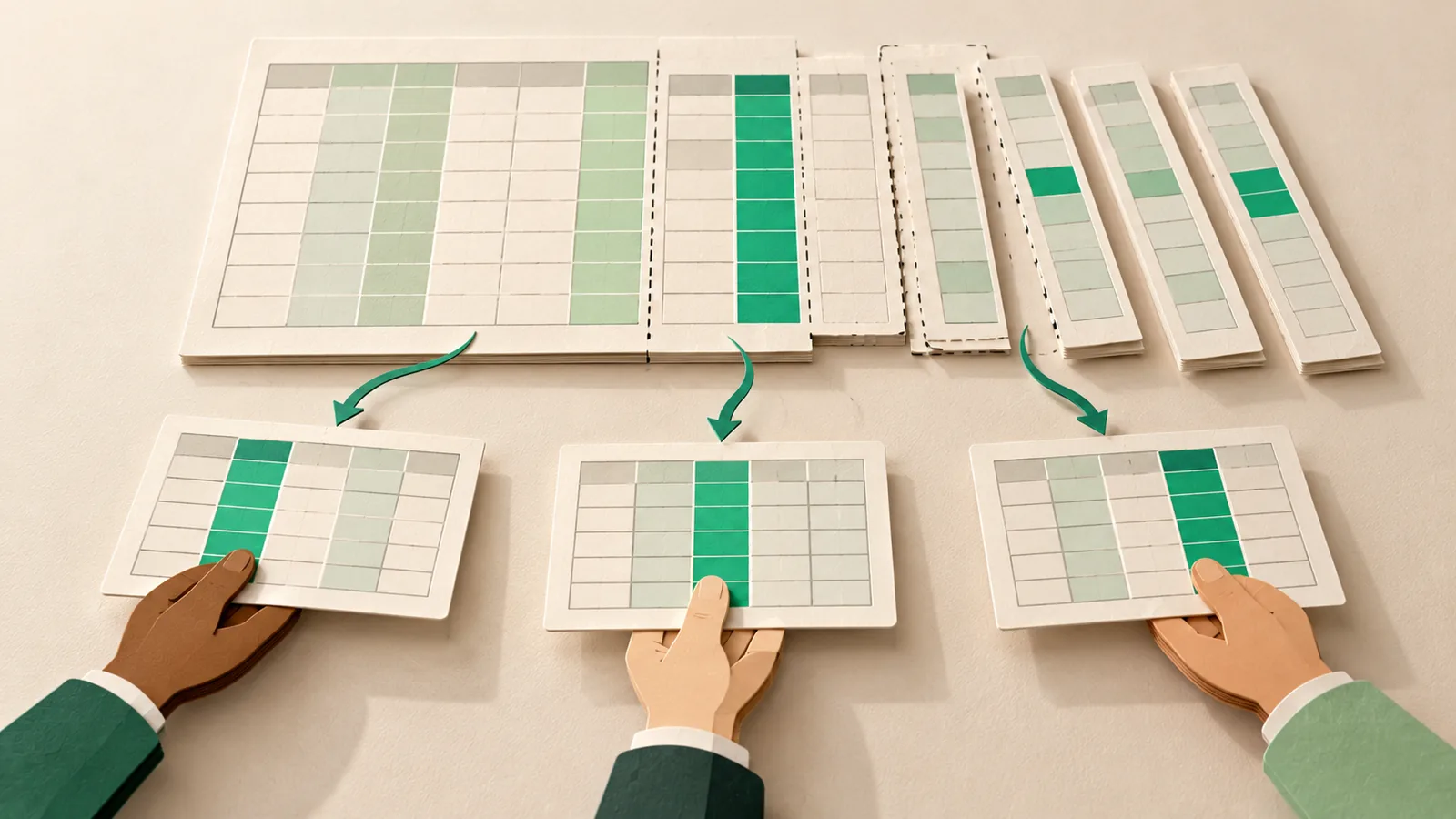
How do you share a spreadsheet without sharing every column?
Hiding a column in Excel does not remove it. Here is how to send each person only the sheets, columns and rows they should see.
September 5, 2026
Seen in practice
Real situations, and the video where there is one, on the same problem.
Situation
When each distributor should only see their own region
One analytics sheet holds sales, targets and margins for every city and state. Each distributor and agent needs only their own region. It goes to all of them whole.
Read moreSituation
When a lender needs three lines of a statement, not all of it
A lender asks for a bank statement and a photo of an ID. They need a few lines and a name. They receive every account number and transaction, and a photo that carries its location.
Read moreSituation
When a 20 slide deck has 10 slides for the board only
The CEO has one 20 slide deck. Ten slides are for employees and the public. Ten are for the board. The whole deck goes out, with a note asking people to ignore the second half.
Read more